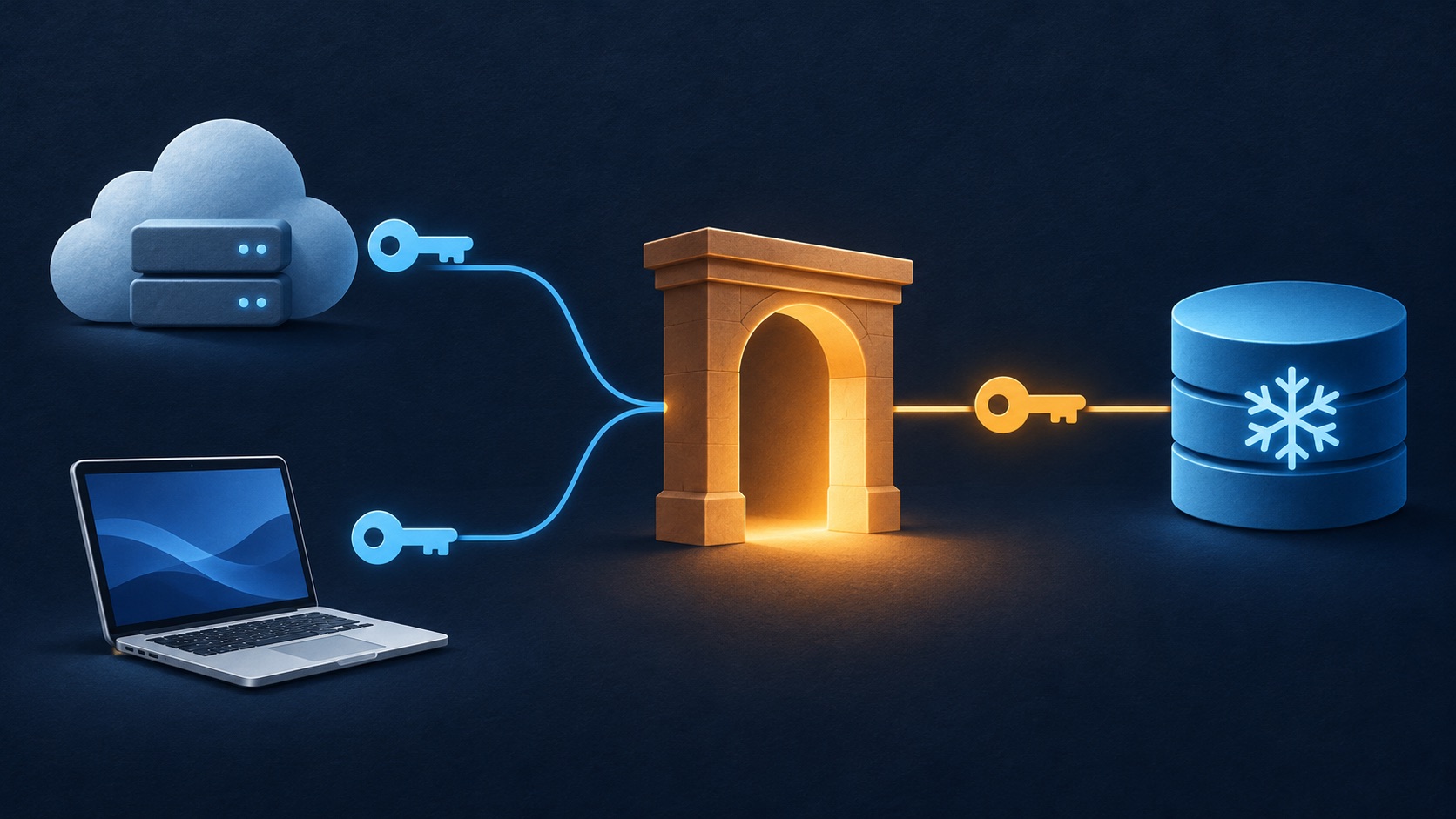
Lately I am working on Agent related work and was curious to understand how harnesses like Claude Code store credentials for MCP connections and is it possible for any random-ass harness to re-use those credentials and get access to the MCP connections which I don’t want. After reading bash is all you need, I did try to write a simple agent loop which does LLM call and tool execution. Creating a bare minimum harness is easier than it seems. Give it a try, see this gist of minimal implementation.
I had connected Snowflake to Claude Desktop. Later, I opened Claude Code on my Mac, typed /mcp, and found Snowflake there too. I had never configured a Snowflake connection in claude code client.
That raised a question: where were my credentials, and what was Claude Code actually connecting to? If another agent harness wanted to use the same connection, could it reuse something on my laptop?
I traced a real Snowflake tool call from the Mac, then repeated it from an EC2 dev box with a separate Claude Code login. Both machines reached Snowflake through mcp-proxy.anthropic.com. Neither needed a new Snowflake sign-in during the tests. Along the way, EC2 briefly reported that Snowflake did need authentication, then successfully executed SQL without any intervention (probably some caching behavior on claude code client installed on my dev box).
The useful distinction is between the credential that logs a client into Claude and the authorization that lets a hosted connector access Snowflake. They belong to different parts of the request path.
Account connectors
The relevant part of /mcp looked like this:
claude.ai
  ✔ claude.ai Atlassian
  ✔ claude.ai Gmail
  ✔ claude.ai Notion
  ✔ claude.ai Slack
  ✔ claude.ai Snowflake       2 tools
The claude.ai prefix matters. Claude Code can fetch connectors associated with a signed-in Claude account. These are distinct from servers added directly to the CLI with claude mcp add or a local MCP configuration file. Claude Code documents this account connector integration.
I was mainly interested to know who is making actual call to Snowflake and keep my real credentials.
Credential storage
For this setup, the distinction is:
- Claude Code to Anthropic: the client uses its Claude login to access account services, including hosted connectors.
- Anthropic to Snowflake: the connector uses the upstream authorization established when I connected Snowflake.
Local Claude login] EC2[EC2 Claude Code
Separate local Claude login] end subgraph Anthropic[Anthropic infrastructure] Proxy[mcp-proxy.anthropic.com
Uses hosted connector authorization] end Snowflake[Snowflake MCP server] Mac -->|Claude authentication over HTTPS| Proxy EC2 -->|Claude authentication over HTTPS| Proxy Proxy -.->|Upstream authorization and MCP request| Snowflake
The client-to-proxy connections were observed locally. The dashed server-side hop follows the documented architecture: Anthropic says remote connectors are brokered through the Claude account and originate from its cloud infrastructure. Local Desktop MCP servers use a separate mechanism. Remote connector network requirements
Claude Code normally stores its Claude authentication credentials in the encrypted macOS Keychain. This is the local login used to authenticate to Anthropic. The Claude Code authentication documentation describes these storage locations:
- macOS: the encrypted macOS Keychain. If a Keychain write fails, Claude Code can fall back to
~/.claude/.credentials.jsonwith mode0600. - Linux:
~/.claude/.credentials.json, also with mode0600. File permissions restrict access; they do not encrypt the file’s contents.
CLAUDE_CONFIG_DIR changes the configuration location and the associated credential store.
For the hosted Snowflake connector, the architecture places upstream authorization management on Anthropic’s side. A network trace cannot tell me which internal database stores a refresh token, how it is encrypted, or whether any local credential copy exists. What I could test was whether a second machine could use the existing connection, and where its requests went.
Mac experiment
The Mac used Claude Code 2.1.322; EC2 used 2.1.327. Both used a claude.ai login for the same account and organization.
I wanted stronger evidence than a green checkmark or a successful tool listing. I asked Claude Code to discover the Snowflake tools and make one call with:
SELECT 1 AS CONNECTION_OK
The restriction was deliberate: one constant-expression query, no business tables, and no changes to data. Claude Code selected:
mcp__claude_ai_Snowflake__sql_exec
The response contained one row with CONNECTION_OK = 1, column metadata, and a Snowflake query ID. That established that a real SQL call had completed.
Network tracing
On the Mac, for network tracing, I created a temporary HTTP CONNECT proxy bound to 127.0.0.1 on an ephemeral port. And set the proxy environment variables only for the diagnostic Claude process. The proxy logged the CONNECT hostname, destination port, and resolved upstream address, then forwarded the TLS bytes unchanged.
No TLS interception or certificate changes] Note -.- Tunnel
This proxy could identify the requested hostname without reading HTTP paths, authorization headers, or MCP payloads inside TLS. The tool-call inputs and results came separately from Claude Code’s structured output.
The hostname trace showed:
api.anthropic.com:443                   -> 160.79.104.10
mcp-proxy.anthropic.com:443             -> 160.79.104.10
http-intake.logs.us5.datadoghq.com:443   -> 34.149.66.165
That explains why the ordinary socket trace could not distinguish the model API from the MCP proxy: they resolved to the same address during this experiment. It also means “only Anthropic endpoints” would be inaccurate; there was a separate logging destination.
No direct Snowflake connection was observed.
Snowflake request flow
The installed Claude Code executable supplied another piece of evidence. Its claudeai-proxy transport branch checked for Claude OAuth authentication and constructed a URL from these constants:
MCP_PROXY_URL  = https://mcp-proxy.anthropic.com
MCP_PROXY_PATH = /v1/mcp/{server_id}
This was static implementation inspection, not a decrypted URL from the trace. The hostname independently matched the live CONNECT observations.
Putting the implementation, tool events, and documented server-side behavior together gives this flow:
not captured locally Proxy->>SF: Forward call using upstream authorization SF-->>Proxy: CONNECTION_OK = 1 and query ID Proxy-->>CLI: MCP tool result CLI->>Model: Supply tool result Model-->>CLI: Final response
The local harness participates in the tool loop. It receives the model’s request to use a tool, invokes the connector through Anthropic’s proxy, and sends the result back to the model. The local process does not need a direct Snowflake socket for this route to work.
EC2 experiment
I then logged into Claude Code separately on an EC2 dev box. Its /mcp panel showed the same account connectors, but Snowflake had a warning:
⚠ claude.ai Snowflake needs sign-in
At first, that looked like evidence that the Mac had some credential the EC2 client lacked. It was a reason to investigate, not enough to conclude that credentials were tied to the Mac.
I connected with ssh dev, checked claude --version and claude auth status, and confirmed that the account and organization matched. A fresh claude mcp list already reported Snowflake as connected, so the early “needs sign-in” was probably a caching behavior of the claude code harness running on the dev box.
The EC2 trace identified the same three destination hostnames. The two Anthropic hosts used IPv6 address 2607:6bc0::10; the logging endpoint used 2600:1901:0:9e23::. There was again no observed direct Snowflake connection.
Findings
The client has a local Claude login credential, normally stored in the macOS Keychain on a Mac or in ~/.claude/.credentials.json on Linux. The hosted connector manages the upstream Snowflake authorization through Anthropic’s infrastructure. Our traces established the proxy route, and the EC2 experiment established that the existing account connection could work from another device without another interactive Snowflake sign-in.
The experiments did not audit Anthropic’s credential storage implementation or search the disks for every possible token copy.